Changelogs
Stay up to date with the latest changes and enhancements.
Stay up to date with the latest changes and enhancements.

30. Sep 2025
Share
Updates from last week! 
Salesforge
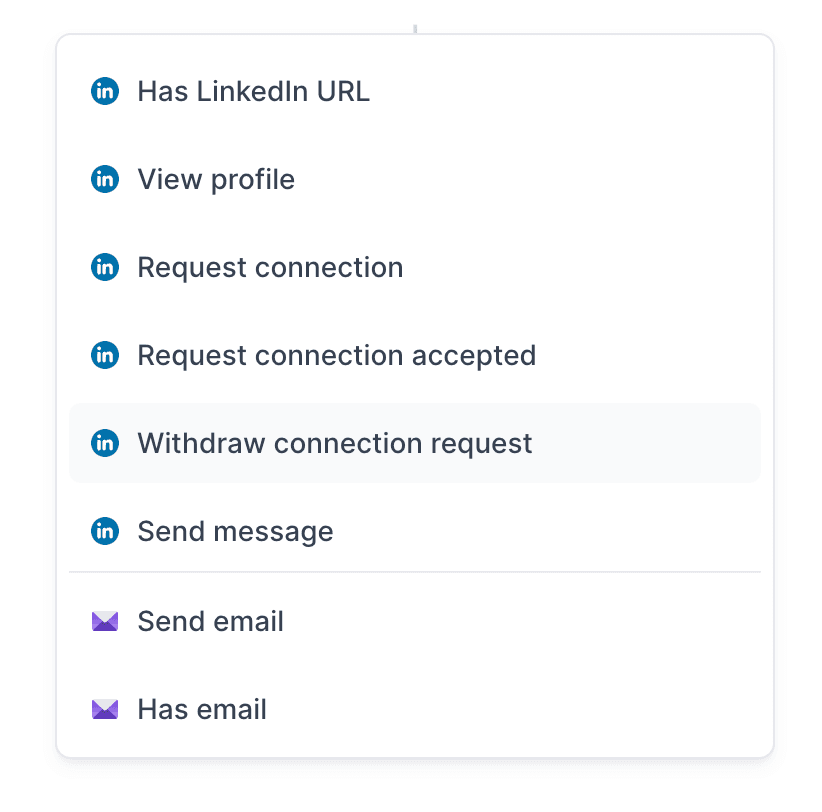
1. More LinkedIn Actions in Multichannel Sequences
We’ve expanded multichannel sequencing with two new LinkedIn actions:
View profile
Withdraw connection request
These additions give you more flexibility to design human-like LinkedIn outreach flows.
2. Connection Notes with Connection Requests
Based on multiple requests from clients, you can now add a personalized note when sending a LinkedIn connection request.
What’s New:
Integrated into “Request Connection” action: Click Add connection note to open a LinkedIn message modal and type your note.
Optional: You can send connection requests without a note if you prefer.
This makes your LinkedIn outreach more personal and effective
3. Auto-Sync Between Forges and Salesforge
We’ve introduced automatic bi-directional sync between Infraforge, Mailforge, Primeforge, and Salesforge to make ecosystem management more seamless.
What’s New:
Mailbox data sync: Signature and other mailbox setting changes in IF/MF/PF automatically apply to SF (if mailboxes are connected to a workspace).
Bi-directional: Updates made in Salesforge also sync back to IF/MF/PF.
Ease of use: No more duplicating work, manage your mailboxes once, and updates carry across the ecosystem.
This ensures your Forge stack stays fully in sync and consistent!
Primeforge
1. Domain Transfer to Primeforge
You can now transfer existing domains to Primeforge, similar to what we already offer in Mailforge and Infraforge, with a key update.
Platform Selection: Each domain must be assigned to either Microsoft or Google.
Any existing mailboxes on transferred domains will stop working; only mailboxes registered in Primeforge will function.
Leadsforge
1. Find Replacement for Leads in Enrichment
We’ve added a replacement feature during enrichment to help users avoid missing contact data and maximize outreach opportunities. This ensures users get the most complete contact info possible, even if some original leads are missing key details!
Agent Frank
1. Custom Wait Days for Agent Frank
You can now fine-tune the wait time between emails for better deliverability.
What’s new:
Toggle on/off: Default remains 3 days if off
Custom range: Choose min/max wait days (1–10) and Frank will randomize sends within that range
Guidance: 1–2 days marked as not recommended (red text)
This gives you more control while keeping outreach natural and safe.
We're still working on more features & workflow improvements across all forges in October!