Changelogs
Stay up to date with the latest changes and enhancements.
Stay up to date with the latest changes and enhancements.

10. Dec 2025
Share

1. Send InMail Action for Multichannel Sequences
We’ve added support for LinkedIn InMail inside the multichannel sequence builder! InMail works with LinkedIn Premium accounts. If no Premium sender is connected, the step will fail, unless the recipient’s profile is Open, in which case the sequence will continue.
2. Fully Revamped Contact Validation in Multichannel Sequences
We’ve rolled out a major upgrade to contact validation inside the multichannel sequence builder, including a redesigned flow, streamlined UX, and real-time validation experience.
What’s New:
Validation built directly into the contact selection flow
Real-time validation screen with progress tracking
Persistent validation session
Approve & add to sequence
New contacts table with validation status
3. Direct Contact Import in Multichannel Sequence Builder
You can now import contacts directly while building a sequence. Imported contacts are automatically added to both the sequence and the workspace, and you can run validation immediately, just like when selecting existing contacts.
Supported Import Methods: you can add contacts to a sequence using:
CSV Import
Leadsforge Import
Google Sheet URL Import
Revamped CSV Mapping Experience
We’ve completely overhauled the CSV import & mapping UI/UX:
More intuitive column mapping
Easier to add or remove columns
Cleaner, faster, and more accurate import workflow
4. LinkedIn Replied Webhook
We’ve added a new webhook event for multichannel sequences: LinkedIn replied.
Webhook is triggered whenever a contact replies to a LinkedIn message, enabling real-time syncing of LinkedIn conversations with your external tools, CRMs, or automation workflows.
5. Opportunities Metric in Multichannel Sequences
We’ve introduced Opportunities tracking to Multichannel sequences!
What’s new
Inside the sequence settings, you’ll now find a toggle for “Track opportunities.”
When enabled, you can assign a value
Once a contact fulfills the opportunity criteria, it will be counted automatically in analytics.
6. LinkedIn Notifications for Slack Integration
We’ve expanded Slack notifications to include LinkedIn message replies in addition to the existing email reply alerts.
How it works
Users who have set up Slack notifications will now receive alerts for LinkedIn message replies.
The notification copy updates dynamically based on the message type:
New Email Reply Received!
New LinkedIn Message Reply Received!
7. Sender Profile Analytics & UI Improvements
We’ve improved the Sender Profiles page with detailed analytics and improved UI for better visibility into sender activity and limits.
Key Updates
New Columns in Sender Profiles Table:
LinkedIn Actions Today: Tracks all 7 LinkedIn actions per sender (View Profiles, Connection Requests Sent, Messages Sent, InMails Sent, Withdraw Connection Requests, Follow, and Like)
Emails Sent Today: Shows emails sent and the daily limit based on connected mailboxes.

1. Domain Forwarding + API Support + Bulk DNS Actions in Primeforge
New upgrades to Primeforge’s domain and DNS management capabilities.
Domain Forwarding: You can now set up domain forwarding inside Primeforge.
Bulk DNS Actions: To make DNS management faster and more scalable, we’ve added bulk DNS actions

1. Agent Frank Multichannel Is Here!
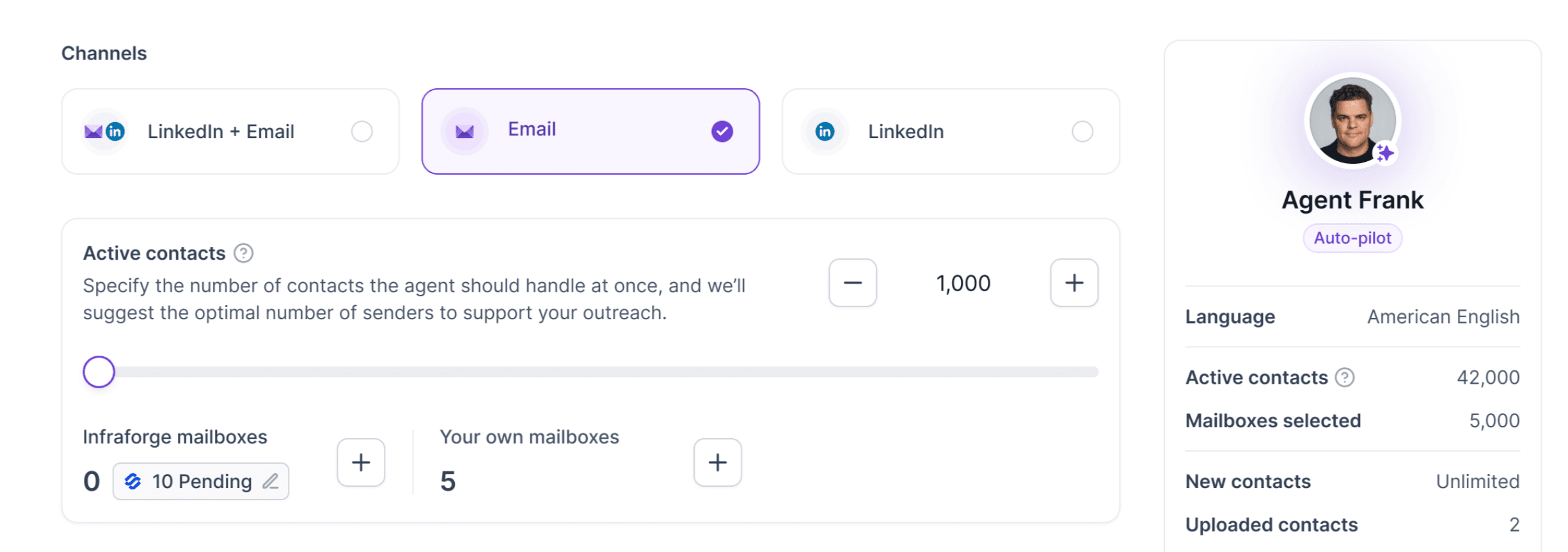
Agent Frank just leveled up! You can now run full multichannel outreach using LinkedIn, Email, or both combined, powered by the same advanced engine we use in Salesforge multichannel sequences.
Multichannel Channel Step
We’ve replaced it with a new Channels step where you can choose your outreach mode:
LinkedIn + Email
Email only
LinkedIn only
Your selection automatically determines how Agent Frank builds your outreach strategy.
New Multichannel Preview Step
Preview the outreach sequence, including:
Initial LinkedIn message
Initial Email
You can now see exactly how Agent Frank will start executing your LinkedIn + Email outreach before hitting launch.
Updated Do’s & Don’ts UX
The Do's and Don'ts section now has a cleaner and better interface supporting longer instructions!

We’ve rolled out a set of powerful updates to make Primebox, bringing it even closer to a true mobile email experience.
What’s New
Do Not Contact (DNC) support: You can now add email addresses, domains, and LinkedIn URLs to the DNC list directly from Primebox.
Templates for replies: You can now insert templates when replying, both for LinkedIn messages and emails.
Advanced rule-based notification settings: Set global notification preferences or create workspace-specific rules for better control.
UI/UX
New reply buttons: Redesigned and repositioned for a more natural, Gmail-like mobile experience.
Select & copy email text: You can now select, copy, and interact with email content seamlessly.
Clickable links: All links inside emails are now fully clickable.
Deep linking for iOS & Android: Primebox now detects deep links and opens the mobile app automatically. When you click “View in Primebox” from Salesforge’s Slack integration, it will take you directly to the correct thread inside the app.
LinkedIn headers with profile redirects: LinkedIn messages now show a LinkedIn header with a clickable area that takes you directly to the contact’s LinkedIn profile.
We're still working on more features & workflow improvements across all forges in December! 