Changelogs
Stay up to date with the latest changes and enhancements.
Stay up to date with the latest changes and enhancements.

03. Feb 2026
Share

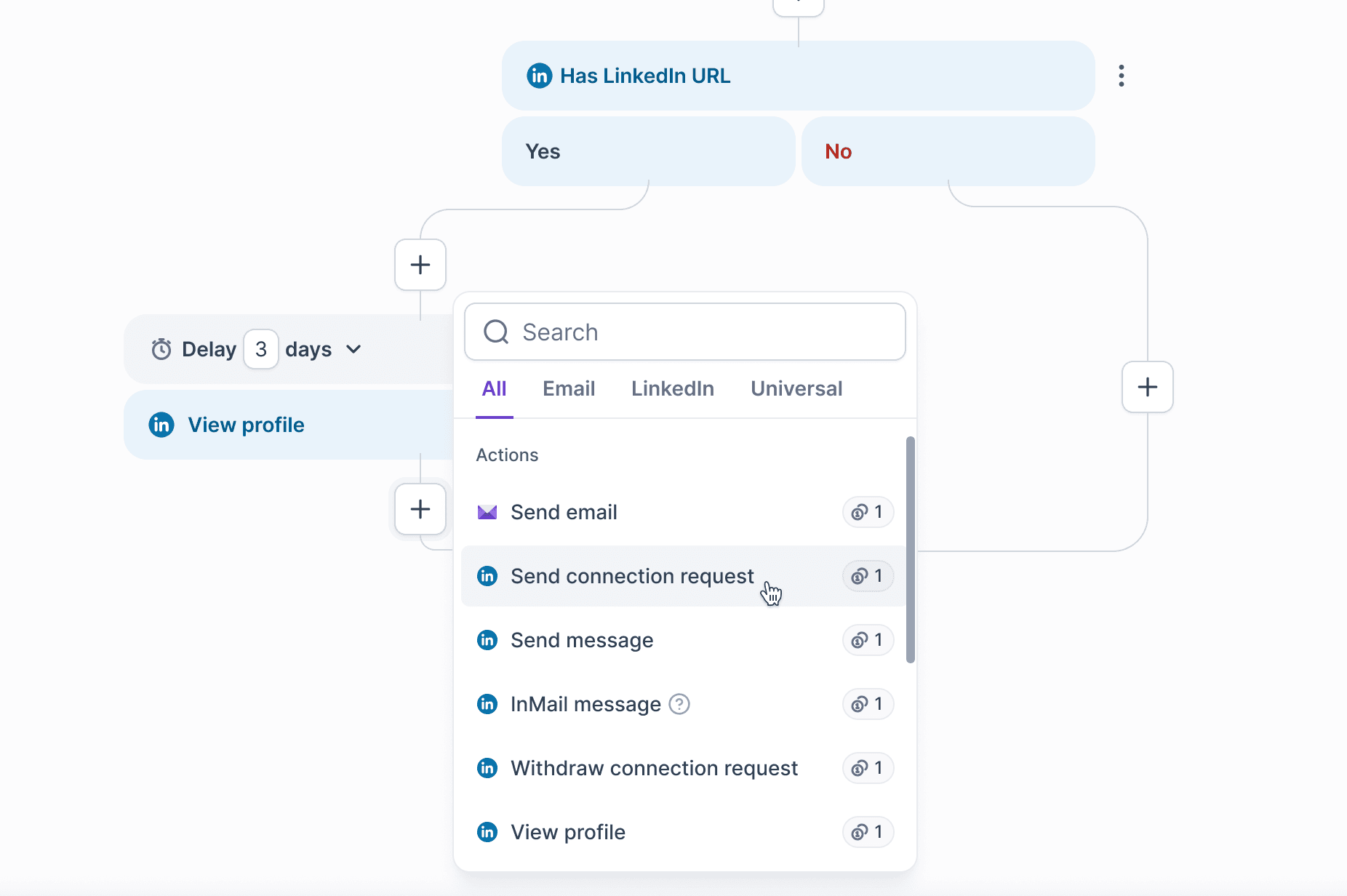
1. UI improvements to the Multichannel Builder
What's new:
More control over wait times - You can now set hourly wait periods in addition to days. We also improved how wait times are displayed, making them easier to adjust.
Clearer condition branching - The way conditions branch is now more visually clear, making complex flows easier to understand at a glance.
Redesigned action selector - Actions are now grouped into separate categories and the selector is more compact, improving usability on smaller screens and preventing dropdown movement issues.
2. Retry Interrupted Contacts for Multichannel Sequences
Gives you control over restarting leads that stopped due to errors.
You can now:
Retry all interrupted contacts - View a table with interruption reasons and counts & confirm retry
Retry a specific contact - Retry an individual lead by selecting it from contacts table
3. Multichannel Sequence tags and new filters in Primebox
What’s new:
Sequence tags for Multichannel messages: Threads are now tagged with their Multichannel sequence name
Filter by Multichannel sequence: Now you can narrow threads to a specific MC sequence.
Filter by sender profile: Similar to filtering by mailboxes, you can now filter by senders, select multiple sender profiles, and see only threads where those senders engaged.
Exclude by sequence: Use the same sequence list as “Filter by sequence,” but instead exclude one or more sequences from the results.
4. We’ve added two new languages to Salesforge!
Salesforge now supports:
Spanish (Español)
Portuguese (Brazil)

1. View mailbox credentials directly in the UI
For each mailbox, you can now see:
Password - used to log in directly to the mailbox
App password - used to connect Gmail mailboxes via SMTP without OAuth
One-time password (OTP) - a rotating code that refreshes every 30 seconds and is required when logging in
The password and app password are now also included in the bulk CSV export for each mailbox. This makes managing and connecting mailboxes easier while keeping all required credentials accessible
2. Granular Mailbox Provisioning Statuses in Primeforge
Instead of a generic Pending status, mailboxes now display statuses that clearly reflect what’s happening.
We're still working on more features & workflow improvements across all forges in February! 