Changelogs
Stay up to date with the latest changes and enhancements.
Stay up to date with the latest changes and enhancements.

29. Jun 2026
Share
Salesforge 
1. HubSpot Integration Now Supports LinkedIn
We’ve brought Localized Greeting to the Human Path in Multichannel sequences, giving users the same personalization capabilities available in Agent Frank.
Smarter Contact Matching
When syncing contacts from HubSpot, we now recognize LinkedIn profiles alongside email:
Contacts are matched on their LinkedIn profile as well as their email address
You can bring HubSpot contacts into Salesforge even when they only have a LinkedIn profile and no email on file
A better fit for teams who work LinkedIn alongside email
LinkedIn Activity in HubSpot
For contacts synced with HubSpot, your LinkedIn outreach now shows up on their HubSpot timeline, including:
LinkedIn messages
Replies
Conversation activity
2. HubSpot Integration Granular Sync Controls & Full Lead Synchronization
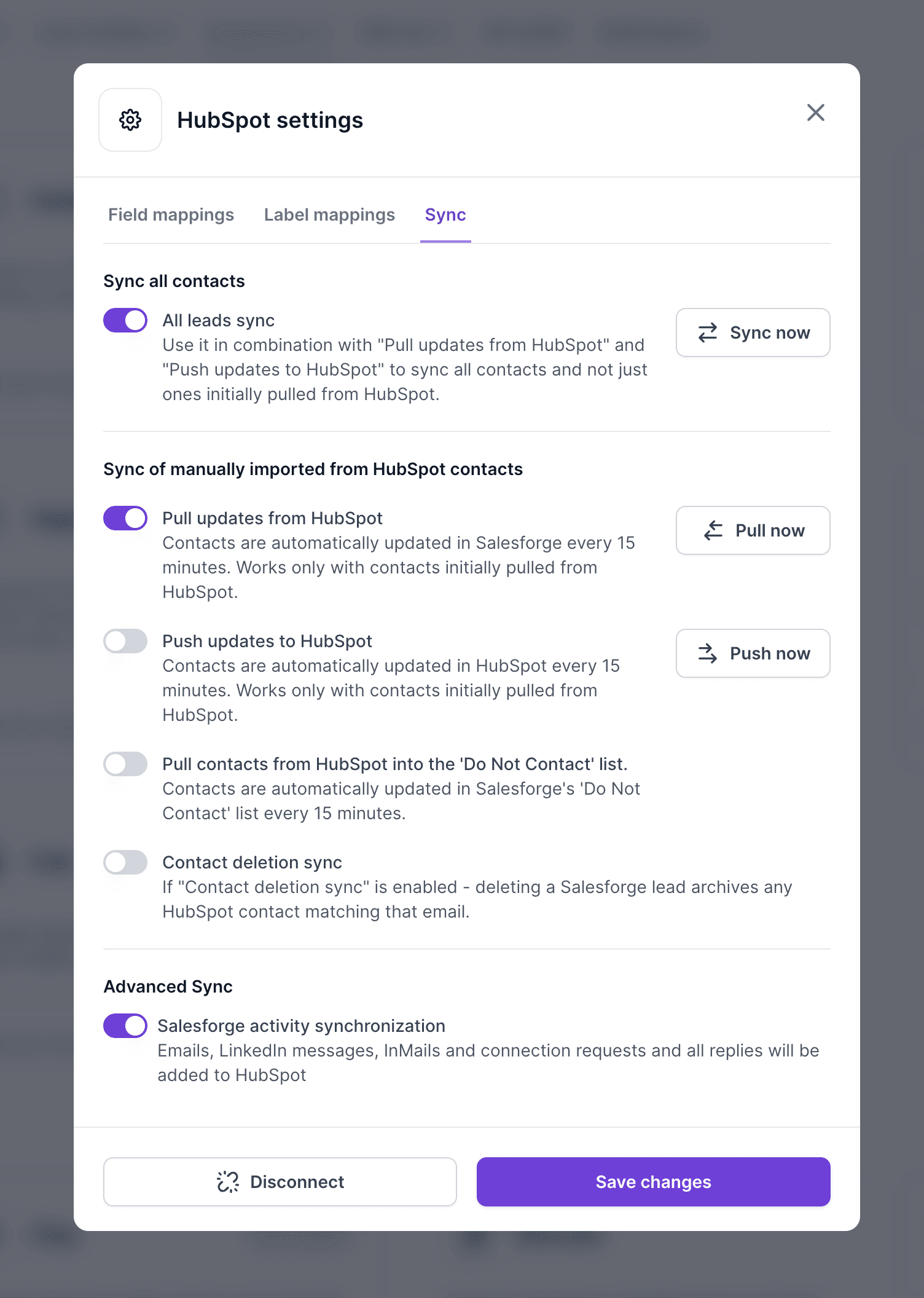
We've upgraded the HubSpot integration to give you finer control over how contacts move between Salesforge and HubSpot.
Previously:
Pulling updates from HubSpot was always on and couldn't be turned off
Pushing updates to HubSpot could be turned on or off
Syncing only applied to contacts that originated in HubSpot (the ones already shared between the two systems)
Now:
You can control each sync direction independently:
Pull updates from HubSpot: keep your Salesforge contacts updated with changes from HubSpot
Push updates to HubSpot: send changes from Salesforge to HubSpot
Full sync: Turn on All leads sync to extend syncing to all of your contacts in both directions, not just the ones pulled in from HubSpot. It works together with Pull and Push, so enable it alongside whichever directions you're using.
3. Sequence Created & Launched Timestamps
We've added Created and Launched timestamps to the main Multichannel Sequences page, making it easier to understand when sequences were built and when they went live.
New Columns
On the main Sequences table, two new columns have been added after the Emails column:
Created: Displays the exact date and time when the sequence was created.
Launched: Displays the exact date and time when the sequence was launched.
4. Salesforge Filters Redesign
We've released a complete redesign of filtering across Salesforge, with more structured and intuitive filtering experience.
What's New
Easier combination of Include and Exclude conditions
Active filter state indicators
Filter count badge showing how many filters are currently applied
Filters now open on click instead of hover
Background dimming when filter modal is open
Improved modal interactions and navigation
5. Hide Columns in Sequences Table
We've added the ability to show or hide columns in the Sequences table, making it easier to customize your view based on how you use Salesforge.
Since different users run Email-only, LinkedIn-only, or Multichannel sequences, not every column is relevant to every workflow. You can now hide unnecessary
6. Company Limit for Multichannel Sequences
We've added Company Limit to Multichannel Sequences, giving you control over how many contacts from the same company are included in your outreach.
When enabled, you can set the maximum number of people to contact per company. Once that limit is reached, any additional contacts from the same company will be skipped, even if they're part of the sequence.
The setting applies to both Email and LinkedIn outreach, helping you avoid over-contacting a single company and create a better prospect experience!
7. Sequential Sending for Multichannel Sequences
We've introduced a new Sequential Sending setting for Multichannel Sequences to help prevent multiple contacts from the same company being reached out to simultaneously.
When enabled, outreach progresses one contact at a time for each company, ensuring a more controlled and personalized approach. This setting works for both Email and LinkedIn outreach.
How it works:
Only one lead per company is active at a time.
The next lead starts when the current lead completes the sequence, is manually paused, bounces, or fails.
Company matching uses both email domain and LinkedIn company. Matching LinkedIn companies are treated as the same company, even if email domains differ.
If Stop on Reply is enabled, a reply from the active lead stops outreach for that company, and no additional leads from the same company will enter the sequence.
Infraforge 
1. Pre-Warmed Mailboxes API for Infraforge
We've released API support for pre-warmed mailboxes in Infraforge, allowing customers to purchase and deploy ready-to-use email infrastructure programmatically.
List Available Pre-Warmed Domains GET /mailboxes/pre-warmed
Retrieve available pre-warmed domains, including:
Available mailboxes
Pricing
Domain search
Pagination support
Purchase Pre-Warmed Domains POST /domains/pre-warmed
Purchase pre-warmed domains and attach them directly to a workspace via the API.
We're still working on more features & workflow improvements across all forges in July!