
Nov 9, 2026
Salesforge 
1. Branches That Merge Back in the Multichannel Builder
Sequence branches no longer have to end separately. After a condition, the YES and NO paths join back together, so you build the follow-up steps once instead of copying them onto
How it works
New sequences start as Start → End, and you add steps in between
Add a condition and both the YES and NO paths lead into the next step, or into End
Use the “+” on a branch to add a step to that branch only
Use the shared “+” where branches meet to add one step that every branch flows into
End a branch when you need to
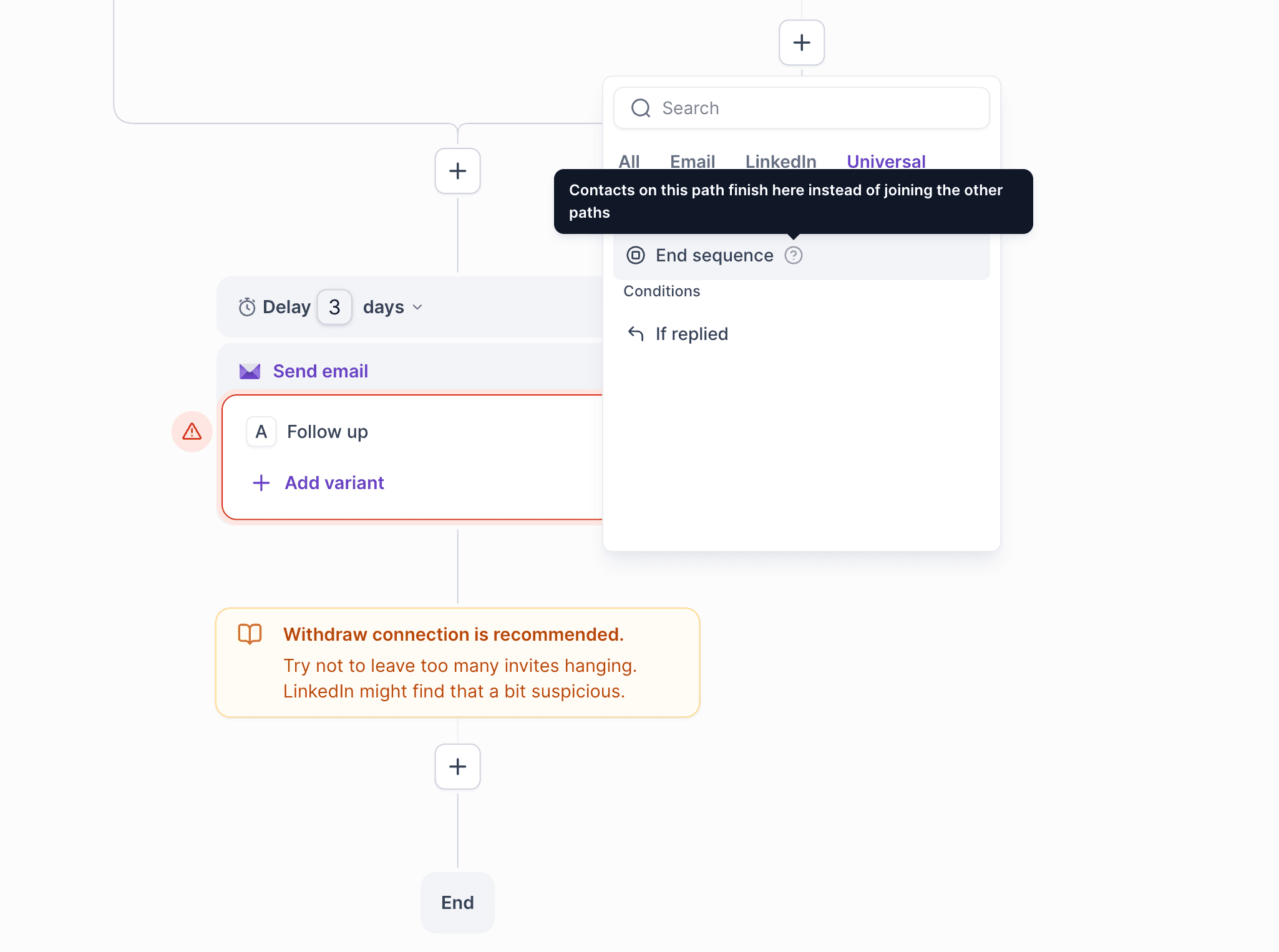
New End sequence step, under Universal in the step list
Add it to any branch that shouldn’t continue with the rest, e.g. stop contacts without an email before the email follow-ups
Contacts who reach an End are marked as completed, and each End shows how many contacts finished there
Good to know
Works for all new Multichannel sequences
Existing sequences, drafts and launched ones alike, stay exactly as they are, with their branches ending separately
2. One Webhook for Every Reply
New lead_replied webhook fires for replies on both email and LinkedIn, replacing the four separate reply webhooks
Filter it by any thread label, including your own custom labels, or leave it unfiltered to get every reply
The payload has the same fields as email_replied and linkedin_replied, so switching needs no code changes. The old webhooks keep working
Leadsforge 
1. People Search
You can now find specific people by name in Leadsforge and include them in a list or keep them out of it. Until now you could only search by filters like title, company and location.
New People filter
Search for a person by name or LinkedIn URL and add them to the filter
Works in ICP search, and as a post-extraction filter in Followers and Lookalikes lists
Include to target specific people, or Exclude to keep them out of a list
Handles long lists with Show more, and long names stay readable
Works in the Assistant too
Just ask, e.g. “exclude John Smith from Alibaba.com”
If several profiles match, the Assistant shows each one’s name, company, job title and LinkedIn URL and asks which one you mean
Whatever the Assistant sets shows up in the Filters panel, so you can review or change it there
2. Bulk Import from Sales Navigator in the Chrome Extension
No more clicking through Sales Navigator page by page. The Chrome extension can now pull every lead from a search and send them straight to Salesforge with emails and phone numbers if you want them.
How it works
Run a search in Sales Navigator or LinkedIn people search and open the extension
Click the import card above the results, then choose all leads in the search or a set number
Pick the workspace and tags, and optionally a sequence to enroll them in straight away
Turn on email and phone finding, and see the credit estimate before you start
Runs in the background
We collect leads from every page of the search for you. You can close the extension and keep working, even restart your browser
Track progress live in the extension, and run several imports at once
Leads land in a new Leadsforge list and sync to your Salesforge workspace, with found emails and phone numbers unlocked on the lead cards
Credits
1 credit per lead collected, plus your usual rates for email and phone finding
You only pay for leads actually delivered: ask for 20, get 19, pay for 19
3. One-Off Credit Packs
How it works
Click the credits indicator in the header → Get more credits → Top up once
Choose a pack, from 2,000 credits for $59 up to large volume packs, and pay once at checkout
Credits are added to your balance right away. Nothing renews and no subscription is created
You can also top up from Settings → Usage
Works with or without a plan
Free accounts can buy packs without starting a subscription
Already subscribed? Top up anytime when you run low, and the credits stack on top of your plan
Buying a pack on a Free account also unlocks API & MCP access
4. Search & Enrichment API Fixes
A batch of reliability fixes for the public API: no charge for the LinkedIn URL you send, stable followers paging, safer retries, cleaner error messages and faster replace-lead search on large lists
We’re still working on more features & workflow improvements across all forges in November! 