
Oct 12, 2026
Salesforge 
1. Sendspark Videos in Multichannel Sequences
The Sendspark integration now works in Multichannel sequences. You can add a personalized Sendspark video to your outreach steps, and Salesforge generates a video for each contact programmatically .
How it works:
Add your Sendspark video campaign to a Send email step in the sequence builder
When the step comes due, Salesforge asks Sendspark for a video personalized to that contact
The step waits in Processing until the video is ready, then sends automatically with the video link in place
If a video already exists for that contact, it's reused right away, with no extra wait
Video status, link and generation time show up in each contact's progress
Personalized video is one of the strongest ways to stand out in a cold inbox, and now it's available in every multichannel sequence!
2. Reconnect Mailboxes via Salesforge Public API
If you are using API you can now reconnect mailboxes that have lost access directly through the Public API.
How it works:
One reconnect endpoint handles every mailbox type:
SMTP/IMAP mailboxes: Salesforge re-checks the connection and brings the mailbox back to active if it's healthy again. No user action needed
Gmail and Outlook (OAuth) mailboxes: the endpoint returns a login link. Show it to your user; once they sign in again, they're sent back to your redirectUrl and the mailbox is reconnected
You can now detect broken mailboxes and fix them automatically from your own product!
Primeforge 
1. Choose Which Passwords Go Into Your Primeforge CSV Export
When downloading mailboxes as a CSV, you can now pick whether the file contains login passwords, app passwords, or both. No more guessing which credential your sequencer needs.
How it works:
Pick before you download: on the Salesforge, Smartlead and Instantly export screens, "download CSV file" now opens a password picker
Login passwords (For logging in): the password used to sign in to each mailbox. This is the default
App passwords (For SMTP/IMAP): generated passwords for sending and receiving
Both (Custom mapping): keeps the platform's normal columns and adds separate Login Password and App Password columns, so you can map whichever your platform needs
Good to know:
App passwords only work for Google mailboxes when importing a CSV. Microsoft mailboxes don't have one, so their login password is used instead
Native export is still the best option: Save & Export connects every mailbox directly and keeps the strongest connection. The picker links straight back to it
You now control exactly what lands in the CSV, and native export stays one click away!
Chrome Extension 
1. Lookalikes & Followers in the Chrome Extension
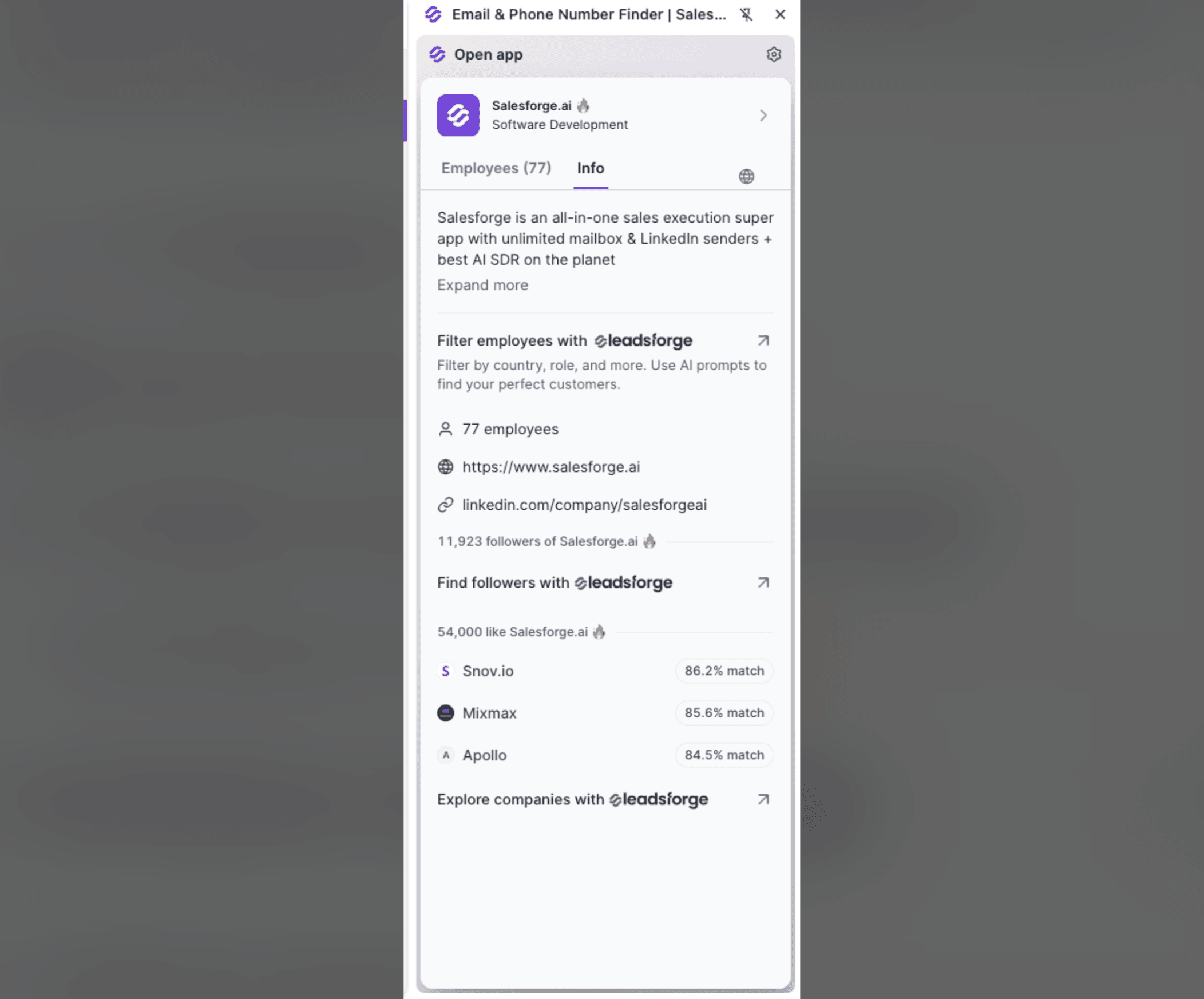
The Chrome extension now does more than enrich the company you’re looking at. It helps you find more companies and people like it, right from LinkedIn or the company’s website.
What’s new:
Followers: how many people follow the company on LinkedIn. Click Find followers with Leadsforge to turn them into a prospect list of people who already care about that space
Lookalike companies: how many similar companies exist, plus the top matches with a match score. Click Explore companies with Leadsforge to see and filter the full list
One click into Leadsforge: open any of these in Leadsforge to run the full lookalike search, filter results and enrich contacts at scale
We're still working on more features & workflow improvements across all forges in October! 