
Oct 29, 2026
Salesforge 
1. Pre-Launch Checks for Multichannel Sequences
Salesforge now catches setup and content issues before you launch a Multichannel sequence, so campaigns don’t go live with missing senders, broken spintax or messages LinkedIn will reject.
What’s checked:
Senders: an error if the sequence has email steps but no mailboxes, or LinkedIn steps but no LinkedIn account. Email + LinkedIn sequences need both
Disconnected accounts: a disconnected LinkedIn account blocks launch. A disconnected mailbox only shows a warning, as long as another active mailbox can send
Content: broken spintax, incorrect variables, empty emails, missing InMail subjects and InMails over 2,000 characters are flagged on the exact step and A/B variant
How it works:
Hit Launch, and any issues appear across the Builder, Contacts and Senders tabs, each with an error count
Blocking issues stop the launch until they’re fixed, while warnings let you launch anyway
Checks run again whenever you edit a running sequence
2. AI Draft Replies in Primebox for Multichannel Sequences
Primebox can now write AI reply drafts for email and LinkedIn conversations from your Multichannel sequences, so you can reply to interested leads without starting from a blank message.
How it works:
Open a Multichannel conversation in Primebox and generate a draft. The AI reads the full conversation history
The draft lands in the reply editor for you to review, edit and send
Rephrase as many times as you like, for free. Generating an email draft uses 3 personalization credits
Conversations already handled by automatic AI replies don’t show the draft option, so the two never clash
3. Auto-Resume After Out-of-Office
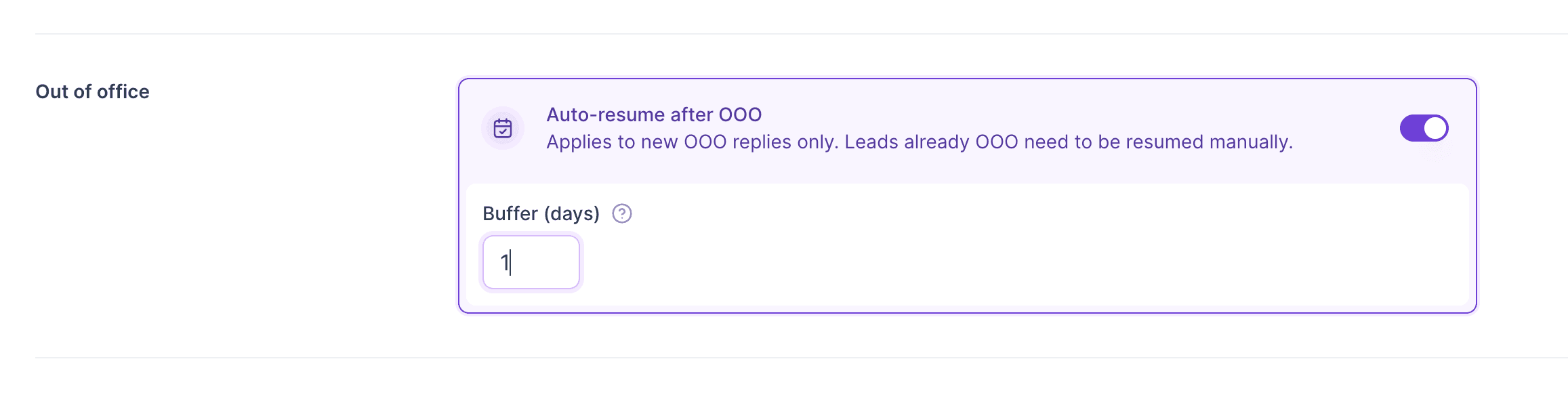
You no longer need to track OOO contacts and resume them by hand. When an out-of-office reply includes a return date, Salesforge puts the contact back into the sequence automatically.
How it works:
Turn on Auto-resume after OOO in your Multichannel sequence settings and set a buffer in days
We read the return date from the OOO reply and resume the contact once that date plus your buffer has passed
The contact goes back to Active and continues from the next pending step. Wait times aren’t restarted, and send windows still apply
The sequence’s Contacts page shows when each OOO contact is back and when they’ll resume, and you can cancel auto-resume per contact
No return date, or one that’s unclear? The contact stays OOO for you to resume manually
Leadsforge 
1. Column Sorting on Search and Enriched Results
You can now sort lead lists by clicking any column header, which makes it much easier to scan results and pick who to enrich.
What’s new:
Search page: sort by Full name, Job title, Company, Contact location, HQ location, Industry and Employees
Enriched page: also sort by Job title, Company, HQ location, Industry, Employees, Company revenue and Years in business
Text columns sort alphabetically and number columns by value. Click once to sort, twice to reverse, three times to turn sorting off
Your sort stays in place when you change pages, change filters or refresh
Available for searches under 500k leads
We’re still working on more features & workflow improvements across all forges in October! 