Changelogs
Stay up to date with the latest changes and enhancements.
Stay up to date with the latest changes and enhancements.

29. Sep 2026
Share
Leadsforge 
1. Company Niches & Business Models in Leadsforge
You can now build lists by what a company actually does, not just its broad industry. Two new filters sit next to Industries in company search.
Company niches
183 niches across 25 domains, one level below industries. Industries tell you a company is in financial services. Niches tell you whether it's FinTech, Payments, Lending or Wealth Management.
A company can have several niches, so a payments startup shows up as both FinTech and Payments. Some niches, such as AI & Machine Learning, Cybersecurity and E-commerce & Marketplaces, apply across industries. That lets you find AI companies in healthcare, logistics or manufacturing, not only in tech.
Examples:
Tech: SaaS, AI & Machine Learning, Cybersecurity, DevOps & Developer Tools, MarTech, HR Tech
Finance: FinTech, Payments, Lending, Wealth Management, Crypto & Blockchain
Healthcare: HealthTech, Medical Devices, Biotech & Life Sciences, Clinical Research
Retail & Consumer: E-commerce & Marketplaces, Fashion & Apparel, Beauty & Personal Care
Other: PropTech, EdTech, Legal Tech, AgTech, Gaming & Esports, Renewable & Clean Energy
Business models
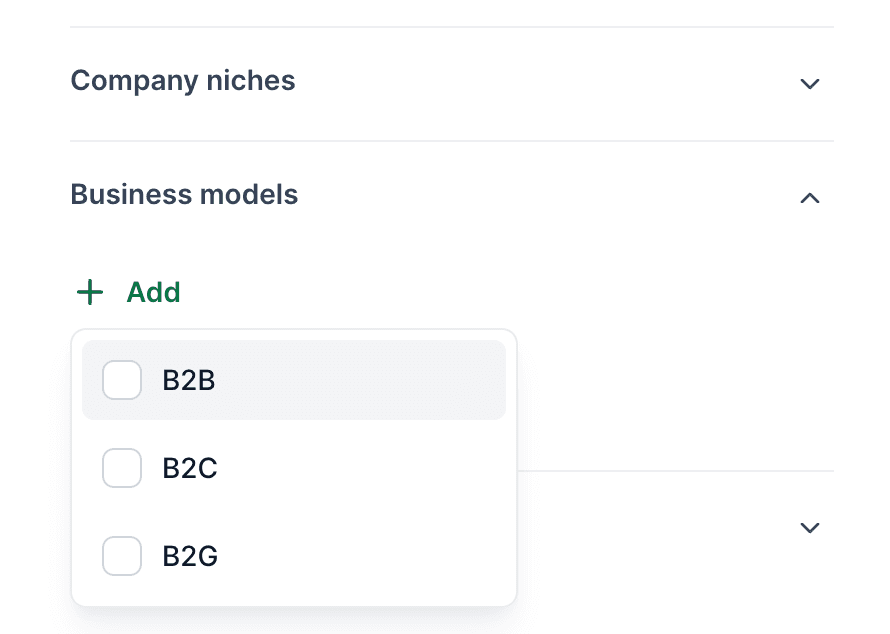
Filter by who a company sells to and how it makes money, e.g. B2B, B2C or B2G. A B2B SaaS company and a B2C SaaS company can now be split cleanly.
Combine & exclude
Stack niches, business models and industries to build precise lists, and use Exclude on any of them to remove segments:
Niche: Cybersecurity + Business model: B2B
Niche: E-commerce & Marketplaces + Beauty & Personal Care, excluding B2B
Salesforge 
1. Salesforge API Improvements
Subscription & credit management
You can now retrieve account-level billing and usage information through the API:
GET /credits returns max, spent, and remaining credits, credit type, and current tier
GET /subscription returns subscription name, status, billing period, credit allocation, tier information, and next billing date
This makes it easier for API customers to monitor usage and subscription status directly inside their own systems.
Remove contacts from DNC
We’ve also added API support for removing contacts from Do Not Contact lists.
You can now remove by:
Emails
LinkedIn URLs
Domains
2. Smarter LinkedIn Limit Handling in Salesforge
When a LinkedIn account hits a limit, Salesforge now pauses that action for the account instead of trying it on more contacts.
How it works:
When LinkedIn limits connection requests or profile views on an account, only that type of action pauses, for 6 hours
Messages, InMails, follows and other LinkedIn actions keep running normally on that account
Other sender accounts in the same sequence keep sending, and unassigned contacts go to them
When the pause ends, sending resumes automatically, within your daily limits and with no burst
The contact whose action hit the limit is retried when the pause ends, instead of waiting a full day
A connection request to someone who already has a pending invitation is now retried for that contact only. It no longer pauses the whole account
Before, one limit could lead to a wall of failed and retried contacts. Now your sequences stay clean and your accounts keep sending as much as LinkedIn allows!
3. Improved Email Validation in Salesforge
We've rebuilt contact validation in Multichannel sequences so it's faster, more reliable and you only pay for what actually gets validated.
What's new:
Pay only for validated contacts: credits are reserved when a run starts. If part of the run can't be completed, the unused credits are refunded automatically
New "Unvalidated" result: contacts that couldn't be checked appear as Unvalidated under the Unsafe tab, and you can re-run validation on just those
Live results while it runs: see validated contacts, the Safe/Unsafe split and the ESP breakdown as the run progresses, not only at the end
Clear failure states: if a run fails, you'll see it right away, with no more progress bar stuck just short of 100%
Built for large workspaces: validation now runs reliably on workspaces with hundreds of thousands of contacts
For Public API & MCP users:
Validation runs are now fully asynchronous, with clear statuses (completed, partially_completed, failed) plus finishedAt and failureCode fields
New partial-results endpoint, so you can fetch results while a run is still processing
Insufficient credits are rejected upfront with a 402 error
Validate-then-enroll works with both completed and partially completed runs
Primeforge 
1. Primeforge Public API Improvements
Mailbox Analytics
Pull mailbox performance and deliverability data into your own dashboards and workflows:
GET /workspaces/{id}/mailboxes/analytics/summary: sent, received and reply rate for every mailbox
GET /mailboxes/{id}/analytics/activity: activity and health for one mailbox
GET /mailboxes/{id}/analytics/bounced-emails: bounces, filterable by hard or soft
GET /mailboxes/{id}/analytics/sending-ips: sending IPs with blacklist status
GET /mailboxes/{id}/analytics/recipients: recipients, ESP breakdown and top domains
Every endpoint supports 24h, 7d, 30d, 90d, 1y or all periods.
Delete & cancel deletion for domains and mailboxes
Schedule domains and mailboxes for deletion, and cancel a scheduled deletion before it runs:
DELETE /domains/{id}: schedule a domain for deletion
POST /domains/{id}/cancel-deletion: cancel it, which also restores the domain's mailboxes
DELETE /mailboxes/{id}: schedule a mailbox for deletion
POST /mailboxes/{id}/cancel-deletion: cancel it
Infrastructure
1. Domain & Mailbox Improvements across Infra Products
Workspace availability check on domain connect (Primeforge)
When you connect a domain, Primeforge now checks whether it already belongs to a Google Workspace or Microsoft 365 tenant. Any domain that can't be used for the platform you chose is marked in red before checkout, so you never pay to connect a domain that can't host mailboxes.
Only active domains in mailbox creation (Infraforge, Mailforge, Primeforge)
The domain list in mailbox creation now shows only active domains. Domains that are still propagating or need support won't appear, so you won't hit an unexplained error when you create mailboxes.
Pre-warmed indicator (Infraforge, Mailforge, Primeforge)
Pre-warmed domains and mailboxes are now labeled in the app, so you can tell at a glance which ones are ready to send.
We're still working on more features & workflow improvements across all forges in October! 